I was rear-ended last week and still dealing with the hospital bills. Can someone look at this?IntakeOS · just now
Thanks — a few questions so we can route this correctly.
STATUS SYNCED
✓
Intake conversation started
Case type: MVA · Form path branched
Firm
IO
IntakeOS inbox Lead #4821 · Example
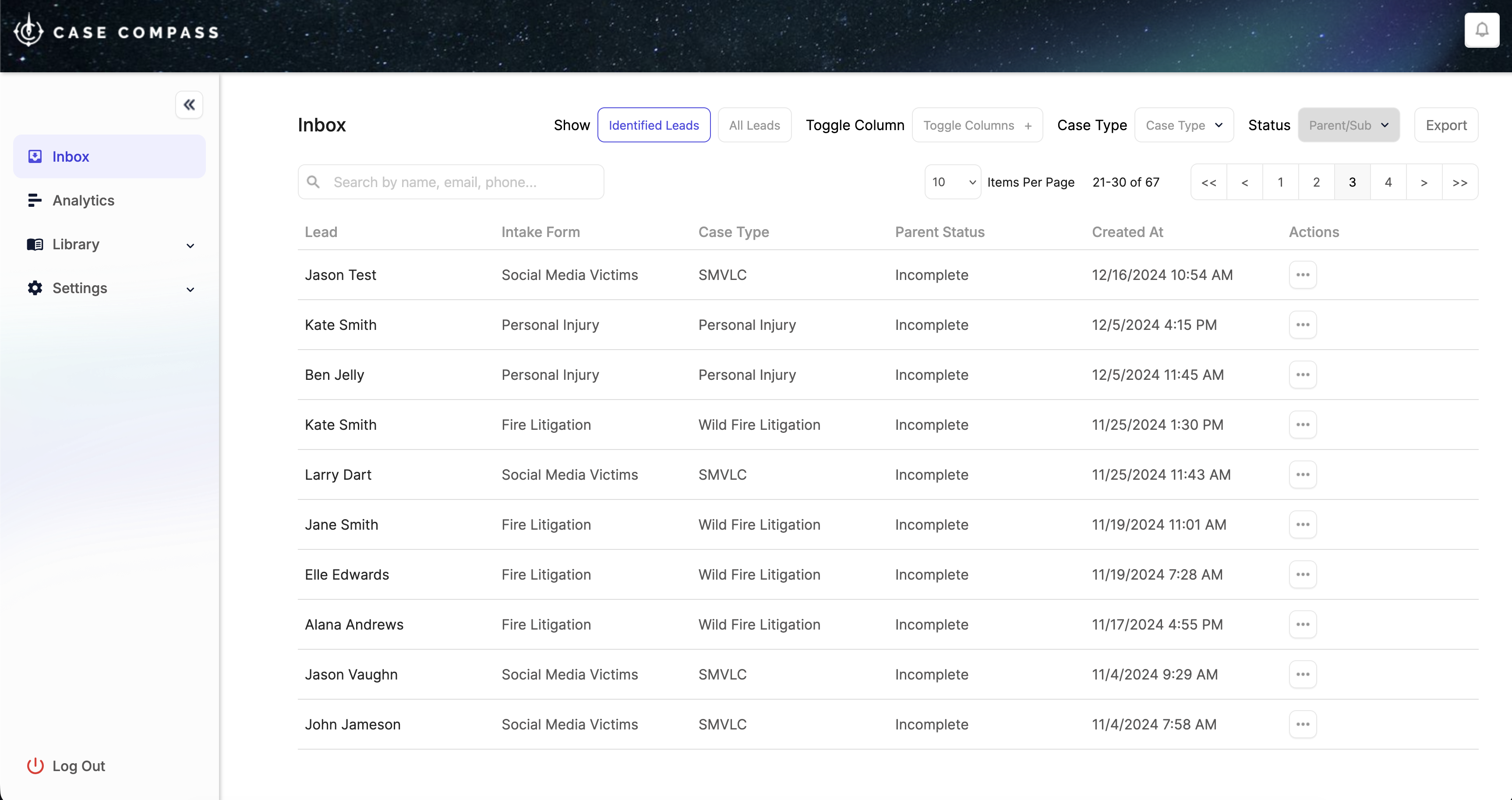
Transcript and answers stay with the lead from the first message.
Up to dateOpen lead ↗
app.casecompass.io · Capture
EVERY HANDOFF HAS A NEXT STEP
Keep the momentum. From click to client.
Your intake team gets the context to act. Your prospective clients get a clear path forward.
01 / CAPTURE
Meet them where they are.
Engage visitors through conversational chat or embedded forms, with questions tailored to the case type.
02 / QUALIFY
Put your criteria to work.
Waypoint evaluates submissions against the rules your firm defines, helping your team prioritize its review.
03 / CONNECT
Make the moment count.
Route qualified leads to available intake staff. Keep the transcript and case context with the conversation.
04 / SIGN & SYNC
Give the case a strong start.
Collect a pre-filled retainer signature, then send the case and intake details to your case management system.
INSIDE INTAKEOS
A better front door. A smarter way through.
From the questions you ask to the leads your team opens first.
The right questions. In the right order.
Build an intake that follows the answers. Visual branching lets each case type take its own path.
Contact fields, dates and multiple choice
Conditional questions and document uploads
Intake embedded in your existing website
AGENT WORKFORCE
Your intake team, ready when the lead is.
Live transfer inbox, RingCentral browser softphone or RingOut, Agent SOPs, speed-to-lead dashboards, and outbound callback queues — so agents pick up with context, hit SLAs, and keep every call on the lead record.
Reported results from Case Compass legal-intake programs. Outcomes vary by implementation.
See where signed cases start.
Connect intake to its marketing source and follow the funnel through to engagement. Give your next campaign decision more than a lead count.
BEFORE YOUR FIRST FLOW
Built for your firm. Connected to your tools.
What is Agent Workforce?
Agent Workforce is the intake team layer inside IntakeOS — live transfer inbox, RingCentral softphone or RingOut, Agent SOPs, speed-to-lead dashboards, outbound callback queues, and call recording with optional Whisper transcription for AI QA.
Can we use IntakeOS on our current website?
Yes. Deploy conversational intake, webforms or embedded widgets independently or together. The intake can be tailored to your practice areas and case types.
Who decides how leads are scored?
Your firm defines the criteria. Waypoint applies them to incoming submissions and presents the results to support your team's review and prioritization.
What happens when an agent isn't available?
The platform can capture the prospect's information, send an e-sign retainer and schedule a callback. Your configured workflow determines the next action.
Will signed cases reach our case management system?
IntakeOS integrates with tools including Filevine, Clio, Litify and LeadDocket. Your setup connects the signed case and captured intake information to the system your team uses.
How do we get started?
Start with a walkthrough of your intake process. The Case Compass team helps configure the intake flow and Waypoint criteria for your practice, then deploys your first workflow.
THE NEXT CASE STARTS WITH A CONVERSATION
Make your first impression the start of something.
Let's build a better intake journey for your firm.