Does Dwellex generate state-specific eviction notices?
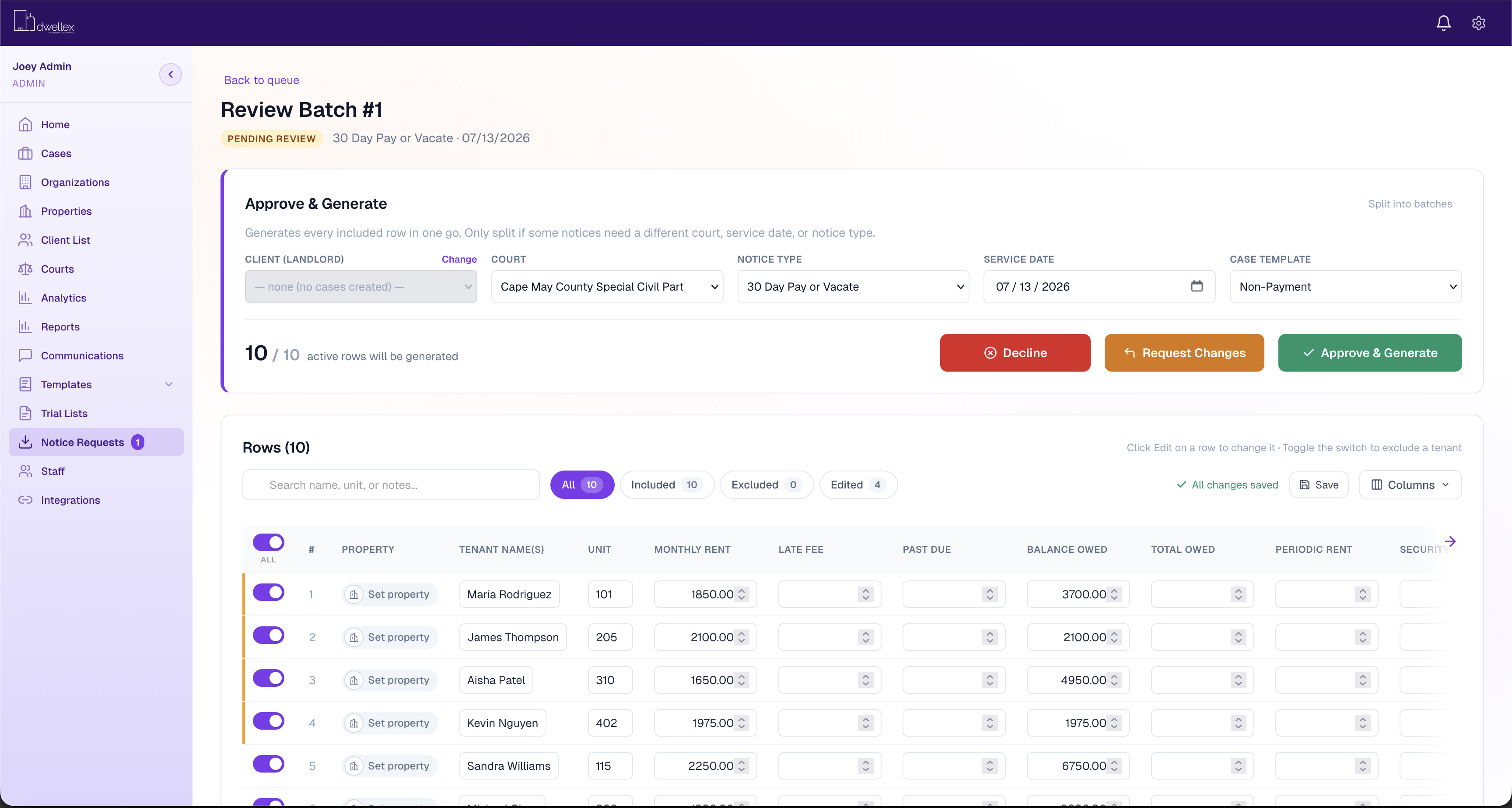
Yes. State-specific compliance produces legally valid notices — including Pay or Quit notices — tailored to local housing laws and your configured court rules, so you can batch, preview and serve documents that match each jurisdiction.
How does deadline and date tracking work?
Dwellex sends automated reminders for court dates, cure periods, and vacate deadlines. Matter timelines hold attorney and client tasks with due dates, and email or SMS milestones keep hearing days and cure windows from slipping.
Can we use our own workflows and court rules?
Yes. Configure case templates, action items, document templates and court-specific notice rules. Firm administrators can maintain jurisdiction details and expiration settings.
What can landlords and property managers see?
Clients can submit intake, upload documents and follow their case timeline in a secure portal. Role-based access controls who can view and work on matters.
Does Dwellex connect to Clio?
Yes. Dwellex supports bidirectional Clio synchronization for case information, tasks and documents, with controls for sync scope and document visibility.
What does getting started involve?
Implementation is scoped around your existing systems and caseload, including data migration, workflow configuration, jurisdiction setup and team training. A demo is the first step toward a plan for your practice.
What is the best eviction software for law firms?
It depends on volume and how your firm works. Firms filing eviction cases at volume usually need batch notice generation, jurisdiction-specific court rules, automated deadline tracking and a client portal for property managers. Dwellex is built specifically for landlord-tenant practices, with unlimited users, published per-case pricing, and integrations with Clio, PracticePanther, Rent Manager and Yardi.
How much does eviction software cost?
Dwellex is $399 per month plus a per-case fee: $8.00 per case up to 50 cases a month, $6.50 for 51 to 150, $5.00 for 151 to 999, and a custom flat rate at 1,000 or more. Users are unlimited. Implementation, training and custom integrations are scoped separately.
Can property managers send evictions to their attorney electronically?
Yes. With Dwellex, property managers submit tenant details and documents through a secure portal or a CSV export from their property management system. The firm reviews each request before creating the case, and the property manager can follow every case timeline from the same portal.